

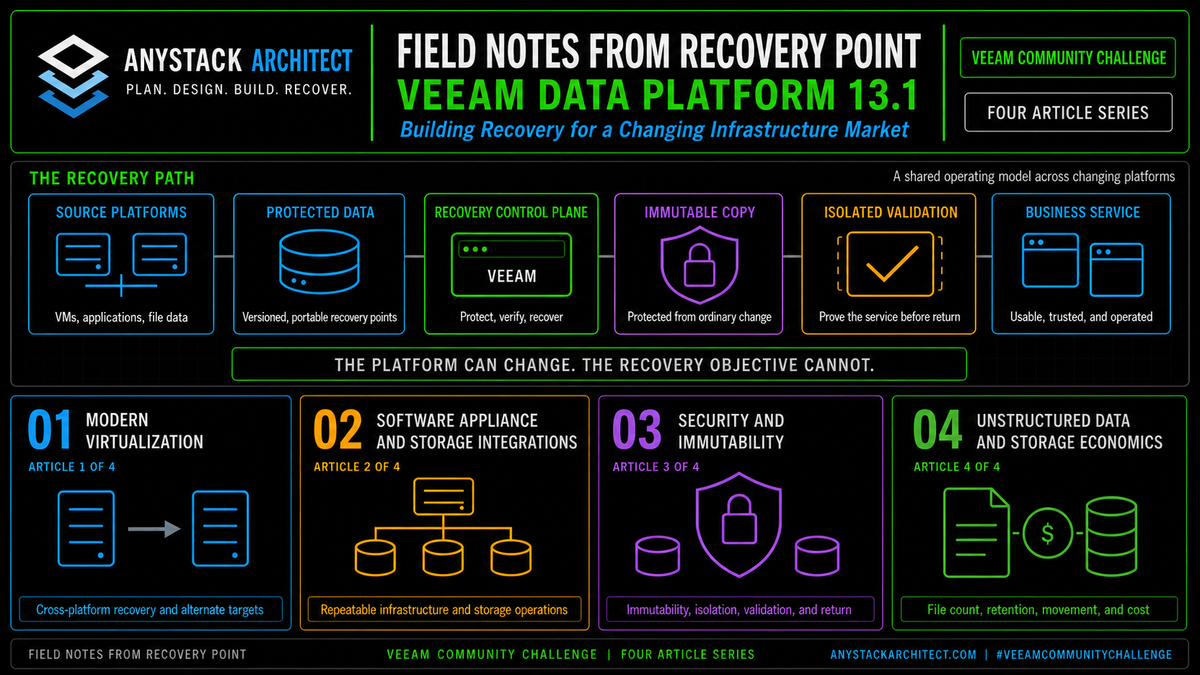
Field Notes from Recovery Point | Article 4 of 4 | Unstructured Data & Storage Economics
Unstructured data sets a simple trap. Storage looks inexpensive, so the protection design gets judged on cost per terabyte. But that number hides the file count, the metadata work, the backup window, and everything retention quietly does to capacity over three years. And it says nothing at all about what a large restore costs, either in hours or in provider charges. At Recovery Point, we work backward from recovery. The economical design isn't the repository with the lowest advertised rate. It's the one that protects the versions you actually need and gives them back inside the business objective, without an operational bill nobody modeled.
This article is part of a four-part series examining what Veeam Data Platform 13.1 means in real recovery environments. The observations are based on Recovery Point's work designing, testing, and operating recovery services across VMware, Hyper-V, Nutanix AHV, Proxmox VE, OpenShift, cloud, physical infrastructure, and unstructured data platforms.
Release status: Veeam Data Platform v13.1 is now released. This article discusses released v13.1 capabilities and the operational reasons they matter. Confirm editions, supported workloads, archive behavior, storage support, licensing, and upgrade guidance before production deployment.[1]
Article 3 established that immutable backup data does not create a successful recovery by itself. Unstructured data adds an economic version of the same lesson. A low capacity rate has little value when the metadata path, retrieval process, network, destination, or operating procedure cannot return a usable file service on time.
Cheap capacity creates expensive assumptions
Unstructured data grows without a clean project boundary. A virtual machine gets created, named, handed to an owner, and dropped into a protection policy. Somewhere there is a moment where a person decides it exists. A file estate never gets that moment. Instead it expands for years through departmental shares and home directories, then through whatever engineering, scanning, and application processes happen to write to it.
Nobody notices the growth, because no single file is ever big enough to trigger attention. It becomes visible the first time somebody tries to protect millions of objects, retain a few years of versions, push them across a limited network, or bring a large share back after an outage.
The first storage quote may still look attractive. The operational design may not.
- Capacity must include changed and deleted file versions, not only the current source size.
- File count and directory depth affect enumeration, metadata, search, and restore behavior.
- Retention policies can preserve many versions of frequently changing files.
- Archive storage may reduce standing capacity cost while increasing retrieval steps and recovery time.
- Object storage may introduce request, movement, retrieval, or service charges that are not visible in a raw capacity comparison.
- Licensing can depend on the protected source amount and how sources are presented to the backup platform.
- Operator time becomes a real cost when restore procedures are slow, manual, or poorly tested.
Do not choose the unstructured data target by asking where the bytes are cheapest. Ask where the required versions can be protected, found, and recovered within the business objective.
Unstructured data behaves differently from a VM backup
Veeam v13 can protect SMB and NFS file shares, Windows and Linux file servers, NAS systems, and S3 or Azure Blob object storage sources.[3]
The data path is designed around files, objects, and metadata rather than a virtual disk image. During a backup session, a general-purpose proxy enumerates the source and creates a CRC tree. The cache repository stores that tree and compares it with the previous session so the proxy can read changed data. Veeam then creates data packages and metadata that describe names, versions, and allocation.[4][5]
Source size on its own tells you almost nothing about the work involved.
Put two 20 TB shares side by side. One is a media archive: large objects, a handful of them changing on any given day. The other is a document and CAD estate holding tens of millions of small files. On the invoice they are the same 20 TB. On the sizing spreadsheet they are the same line.
They are not the same job. The media archive moves a small amount of data and finishes. The document estate has to be enumerated first, and the proxy walks every object and builds the CRC tree on every run, whether anything changed or not.[5] The changed byte count can be trivial and the job still runs long, because the work is in the walk, not the transfer. Sizing by capacity hides that completely.
Veeam stores unstructured backup data in VBLOB files with metadata that tracks the source objects and their versions. Current documentation describes the format as forever forward incremental rather than a sequence of periodic full backups like a typical VM chain.[6][8]
The design therefore depends on healthy metadata, a properly placed cache repository, enough processing capacity, and repositories suited to ongoing transformations, retention, health checks, and restores.
Capacity is one sizing input among several. Before you pick a target, measure the file count and the change rate, then find out how long a scan actually takes against that source. Proxy and cache placement, network throughput, and the restore method you plan to use all shape the answer as much as the terabyte number does.
We model the recovery path before we pick the storage tier
I run into the same situation over and over. A customer has a mixed file estate. Some shares support active daily work. Others hold project history, exports, completed cases, or records that are rarely opened and can't be discarded. They want lower storage cost without turning every restore into an emergency retrieval project.
The usual shape of it: engineering keeps live project directories on the same filer as a decade of closed job folders nobody has opened since the job closed, and both are in the same nightly job under the same retention. Nobody designed that. It accumulated one share at a time, and the protection policy inherited whatever was already there.
Applying one storage class and one retention policy to everything is the wrong answer. The better starting point is to classify the data by recovery behavior.
| Data class | Business expectation | Protection and storage priority |
|---|---|---|
| Active operational shares | Users need recent files and the full share returned quickly after an outage. | Frequent protection, fast metadata access, strong recent retention, and a rehearsed instant or full share recovery path. |
| High-change collaboration data | Many versions may exist and accidental deletion is common. | Version-aware retention, capacity modeling for change, and fast item-level search and restore. |
| Reference and historical data | Access is infrequent, but records must remain available for years. | Lower-cost long-term storage with documented retrieval time, archive testing, and metadata protection. |
| Recreatable or low-value data | The source can be rebuilt or has little business value. | Short retention, exclusion, or no backup after the owner accepts the risk. |
Sorting the data this way is what makes the cost conversation possible at all. Without it you're negotiating a storage tier for an estate nobody has characterized.
Our job is to connect the storage design to the recovery objective. That means asking who needs the data, how much has to come back first, how long the business can operate without the full namespace, and whether a historical restore can wait on archive retrieval.
File count and metadata are economic variables
The cache repository does real work in an unstructured data design. Veeam uses it to hold temporary metadata, track changed objects, reduce load on the source, and support efficient incremental processing. When backups are stored in object storage, the cache repository also holds active metadata.[4]
So a design can sit on all the cheap object capacity in the world and still miss its window, because the cache, proxy, or network path underneath it was undersized.
Metadata also affects recovery independence. For unstructured backups in object storage, Veeam stores active metadata in the cache repository and keeps a self sufficient metadata replica with the backup data. If the original source and cache are lost, that replica can be used to restore the data.[8]
That's a real resilience feature, and it still has to be tested. A design review should prove how a replacement cache gets built, how metadata is downloaded or attached, how long that takes, and who actually holds the credentials to reach the repository at two in the morning.
So a storage tier can be cheap while the metadata path behind it is fragile. The recovery design is only as economical as its slowest required component, and that component is rarely the one on the quote.
Place the cache and proxy for processing efficiency, then separately prove that metadata can be rebuilt from the protected repository after the original infrastructure is unavailable.
Retention should reflect business value, not fear
Unstructured data retention can preserve recent versions in the backup repository and move older versions to an archive repository. Veeam documents different behaviors for active files, changed files, deleted files, exclusions, and immutable targets.[7]
Useful, because not every version deserves the same storage. Also easy to overprotect.
A policy that keeps every version of every file for years feels safe. What it actually preserves is temporary exports, duplicate media, application scratch data, and thousands of worthless versions sitting alongside the business records that matter.
That isn't caution. It's a decision nobody made.
The organization then pays several times:
- Primary backup capacity grows.
- Archive capacity grows.
- Immutability delays the deletion of data already expired by retention, and on object storage the Block Generation period extends that delay further.
- Replication and copy windows increase.
- Search and restore scope becomes larger.
- Licensing may increase with the protected source amount.
- Operators spend more time distinguishing useful data from retained noise.
The retention policy should be written from business requirements. Active shares may need dense recent versioning. Historical data may need fewer versions for a longer period. Reproducible data may need little or no retention.
An economical unstructured data workflow has six stages
Below is the sequence we actually work through. It connects business classification, Veeam processing, storage selection, and recovery testing, instead of treating the repository purchase as the finished design.
Measure capacity, file count, directory depth, daily change, deleted data, access frequency, and owner.
Separate active operational data, high-change collaboration data, historical records, and recreatable content.
Set the item restore, full share, archive retrieval, and first data available objectives for each class.
Size and locate proxies, cache, repositories, gateways, and network paths for the measured workload.
Keep recent useful versions on faster storage and move qualified history to lower-cost archive capacity.
Test recent item recovery, full share access, archive retrieval, metadata loss, and migration back to production.
Figure 1. The sequence we follow for unstructured data. The economic decision begins with business value and ends with a measured restore.
Instant access changes the outage equation
Recovery cost extends well past infrastructure spending. Business downtime is often the largest line item in the event.
Veeam Instant File Share Recovery can publish a point-in-time NFS share in read-only mode. For SMB, it can publish a point-in-time share that users can update, and the recovered share can later be migrated to production.[9]
That changes what the architecture has to do to meet a recovery objective, because the organization may not need a full multi terabyte restore finished before users can reach critical files again.
In practice, how fast that happens depends on the surrounding design. It still needs a mount server, permissions, network access, enough repository performance, and a plan for final migration or switchover. The business also needs to know whether read-only access is acceptable for NFS and which SMB workloads can safely operate from the published recovery path.
An economical design therefore measures two times:
- Time to first useful access: when the business can reach the required files.
- Time to complete recovery: when the full dataset, permissions, changes, and production placement are finalized.
Those are two different numbers and they need two different answers. Buy primary class storage for every retained byte and you have usually paid for an assumption nobody checked, which is that all the data has to land before anyone can work.
Archive is lower cost only when retrieval is understood
Veeam v13 already supports archive repositories for older file versions. The platform can restore a file or folder to any stored archive version. It also documents an emergency workflow for cases where the backup repository or configuration is unavailable, including adding and rescanning the archive repository, downloading metadata, and restoring the required files.[10]
Strong capability, and it preserves a recovery path beyond the primary backup tier. But it also shows why archive economics cannot be reduced to a rate card.
The team has to understand how archived data is located, how metadata is recovered, how long the storage service takes to make data available, what network path carries the restore, and whether the target has enough free capacity. If the archive is immutable, retention and capacity also need to account for the period during which expired data cannot yet be removed.
And that window can run longer than the retention setting suggests. On object storage, Veeam uses Block Generation to keep data locked beyond the configured immutability period while reducing I/O operations and the charges that can come with them. It is automatic. There is nothing to enable in the job.[12]
The documentation does not give us one clean number. The unstructured data page says Block Generation adds up to 10 days and uses 10 days in its retention example.[12] The general object storage page lists 30 days for Amazon S3, IBM Cloud, Google Cloud, and 11:11 Cloud, with 10 days for other object storage types.[13] Those pages do not line up cleanly for this workload. I would not put either number in front of a customer without checking the exact repository type and build. Until Veeam closes the gap, size for the larger number and prove the actual behavior in the lab.
Here's where I'll lose some people. I think most organizations set their immutability period longer than they can defend.
The number often gets chosen in a meeting. Ninety days sounds safer than thirty, so ninety goes into the design. That may be the right answer. It may also be a very expensive guess. On metered object storage, retention marking a version for deletion does not stop the bill. The data stays in the repository until the immutability lock and Block Generation period expire.
That extra time isn't worthless. It preserves data that retention has already marked for deletion. But it isn't free, and it should not be treated as planned retention unless the recovery procedure for those versions has been proven.
Veeam recommends a maximum 14-day immutability period for unstructured data on immutable object storage and no more than one file or object storage backup job run per day. Veeam also warns that going beyond those recommendations can consume excessive storage space.[12]
So pick a number you can defend. It has to cover the organization's detection and response window, compliance requirements, and the way recovery is actually tested. If the answer is ninety days, fine. Just prove it and pay for it on purpose.
Reasonable people will disagree with me on this, and the disagreement is worth having before the storage is bought rather than after.
Do not promise primary storage recovery times from an archive design. Lower standing cost usually exchanges something, such as retrieval time, operation cost, network movement, or operator steps. Define that exchange before the policy is approved.
Licensing belongs in the storage model
Veeam's current licensing documentation states that one license instance covers 500 GB of protected unstructured data, with rounding and calculation behavior affected by how data sources and jobs are configured. It also notes that the same source protected by multiple jobs can affect consumption and that backup copy jobs do not consume additional capacity for already protected sources.[11]
Licensing deserves the same modeling attention as repository capacity. Distorting an architecture purely to chase instance counts is a different and usually worse trade.
For example, presenting several shares from the same root separately can calculate differently from protecting them through the whole share root. Protecting the same source in more than one backup job can also increase the measured protected amount.
A technically valid design can therefore carry an avoidable licensing cost if source organization and job scope are not understood.
The economic review should include:
- Protected source amount and expected growth.
- How shares and object stores are presented to Veeam.
- Whether the same source appears in multiple protection jobs.
- Primary, secondary, and archive capacity.
- Network, request, retrieval, and data movement charges from the selected storage service.
- Compute, cache, proxy, gateway, and operational support cost.
- Recovery testing and real incident restore cost.
Where low cost designs become expensive
| Design decision | Hidden cost | Recovery control |
|---|---|---|
| Size only by current source terabytes | Version growth, deleted files, immutability, and metadata consume unplanned capacity. | Measure change rate, file count, retained versions, and deletion behavior before sizing. |
| Place all history on fast primary storage | Low access data consumes the most expensive capacity for years. | Classify data and use archive for versions that can tolerate longer retrieval. |
| Move everything to archive | Critical shares cannot meet time to access objectives during an outage. | Keep a recent operational window on a tier that supports the required recovery service. |
| Ignore file count and cache design | Enumeration, metadata processing, and restore operations miss the expected window. | Benchmark representative sources and place cache and proxies for the measured workload. |
| Assume object storage has one simple price | Requests, retrieval, movement, and helper infrastructure create costs outside capacity. | Model the provider contract against actual backup, retention, health check, and restore behavior. |
| Never test archive recovery | Metadata, credentials, retrieval time, and destination capacity fail during the incident. | Run scheduled archive and emergency metadata recovery tests. |
| Protect the same source through overlapping jobs | License consumption and operational complexity can increase without adding recovery value. | Review job scope, source presentation, and copy design before production rollout. |
What v13.1 adds to the economics conversation
Veeam's May 2026 preview describes a v13.1 focus on smarter resilience economics through NAS archive, lower-cost long-term retention, and reduced storage rates.[2]
The current v13.1 product page is more specific. It lists NAS Direct Archival with support for Veeam Data Cloud Vault and describes the goal as long-term retention without short-term storage budgets.[1]
For large file estates that is the right direction. Finding somewhere to put bytes has never been the constraint. The constraint is keeping a recent recovery window operational while qualified history moves to capacity with a more appropriate cost profile.
Direct archival may reduce the need to keep older NAS versions on primary class backup storage. Whether it does depends on the supported source and target combinations, how metadata is handled, what retrieval actually looks like in practice, immutability, licensing, and how any of it fits an unstructured data policy that already exists.
Here is what I want answered before I let anyone book the savings:
- Which data and versions can move directly to archive?
- What remains in the recent operational recovery window?
- How quickly can an archived version be located and restored?
- What happens when the original backup server, cache, or source is unavailable?
- How are immutability and retention enforced across the path?
- Which charges occur during normal protection, validation, and a large recovery?
- Can the customer prove the economics with measured restore tests rather than estimates?
Editions, licensing, supported repositories, and operational limits still need to be validated in the target environment.
Use NAS Direct Archival as a reason to inventory and classify file data now. Do not assign savings until the released capability is tested against the real source, retention policy, and recovery objective.
A complete storage economics model follows the data home
Primary capacity, file services, performance, administration, and business ownership.
Proxies, cache, repository, object operations, network, licensing, and monitoring.
Version density, deleted data, immutability, copies, archive, and long-term growth.
Search, metadata, retrieval, data movement, staging capacity, and operator time.
Time to first useful access, full restoration, business interruption, and customer impact.
Permissions, validation, migration, switchover, resumed protection, and accepted ownership.
Figure 2. The economical recovery design accounts for every stage from source growth through restored business ownership.
What to test before calling the design economical
A storage model is incomplete until the recovery path has been measured.
1. Establish the real source profile
Capacity, object count, and average file size are the starting point. Then get the daily change and delete rates, because those drive version growth more than anything else on the list. Measure across enough time to catch the peaks. A single Tuesday afternoon sample will tell you almost nothing about what month end does to the job.
2. Benchmark the first backup and the incremental cycle
Time the enumeration separately from the data transfer. That split is the whole point of the exercise. A small incremental byte count doesn't mean a short job.
3. Restore a recent individual file
Search, browse, pick a version, get it back to the user with permissions intact. Use a file with a common name buried in a deep directory, not something you staged at the root. The test should reflect what an operator's actually going to be doing at four in the afternoon with somebody waiting.
4. Publish a full share
Use the supported instant file share recovery path. Measure how long it takes to reach first access, then find out whether the application on the other end is happy with what got published. Take it all the way through production migration.
5. Recover from archive
Pick a version that exists only in archive. Restoring from archive requires the All Time option when you select files and folders, which isn't obvious until it bites you.[10] Time the retrieval, watch what it costs to move the data, and confirm the destination has room for it.
6. Remove the cache repository
Then build a replacement and prove the metadata can be copied or downloaded from the protected repository. Write down what it took, especially who had to be woken up for credentials.
7. Validate retention and immutability together
Confirm when versions move, when expired data can actually be removed, and how the overlap affects capacity. Include the Block Generation period in the object storage calculation. Test deleted and changed files, not just active ones.
8. Reconcile the invoice to the model
Put the actual bill next to the original estimate and find out where they diverged. Include staff time, which never makes it into the estimate and is usually the biggest surprise. Fix the policy while the gap is one quarter wide rather than three years wide.
Why should customers upgrade to Veeam Data Platform 13.1 now?
Customers should upgrade to Veeam Data Platform 13.1 now because unstructured data is growing faster than the budgets and recovery plans built around it.
NAS Direct Archival in v13.1 gives organizations a reason to separate recent operational recovery from long-term retention rather than paying primary storage rates for every historical version. Current capabilities already provide file and object backup, metadata-aware incremental processing, archive repositories, emergency archive recovery, and instant file share access. v13.1 extends that foundation with a more direct economic path for NAS retention.
An upgrade that starts with a repository order is starting in the wrong place. Start with an inventory instead. What exists, who needs it, how fast it has to come back, and which versions anyone would actually ask for.
At Recovery Point, we start the storage design with the service the business has to get back, and let capacity, archive, licensing, and network placement follow from that.
Cheap to store does not mean cheap to recover.
Key Takeaways
- Source terabytes are the least useful number in an unstructured data estimate. File count, change rate, retention depth, and how the data actually gets recovered matter more.
- Recent operational versions and long-term history should not automatically use the same storage tier.
- The cache repository and metadata path are part of both performance and recoverability.
- Instant File Share Recovery can reduce time to useful access, but final migration and application validation still require a runbook.
- Archive retrieval, metadata recovery, immutability overlap, and destination capacity must be tested before savings are claimed.
- Veeam v13.1 adds NAS Direct Archival, but support boundaries, licensing, behavior, and economics still require validation in the target environment.
#VeeamCommunityChallenge
Sources
- Veeam Backup & Replication 13.1. Current public release status and NAS Direct Archival positioning.
- Veeam Previews New Release of Veeam Data Platform at VeeamON New York City. Smarter resilience economics, NAS archive, and lower-cost long-term retention positioning.
- Unstructured Data. Current v13 supported unstructured data source categories and recovery scope.
- Backup Infrastructure for Unstructured Data Backup. Current v13 proxy, cache, source, and repository architecture.
- How Unstructured Data Backup Works. Current v13 enumeration, CRC tree, cache comparison, data packaging, and archive movement workflow.
- Data Structure in Backup, Archive and Secondary Repositories. Current v13 VBLOB and metadata structure for unstructured data.
- Unstructured Data Backup Retention Scenarios. Current v13 version retention, archive movement, deleted file, exclusion, and immutability examples.
- Unstructured Data Backups in Object Storage Repositories. Current v13 object storage metadata, cache, connection, helper appliance, and recovery behavior.
- Instant File Share Recovery. Current v13 NFS read-only publication and SMB read-write publication with production migration capability.
- Restoring Backup Files from Archive Repository. Current v13 regular and emergency archive restore procedures.
- Instance Consumption for Object Storage Backup, File Backup and File to Tape Jobs. Current v13 unstructured data license calculation behavior.
- Unstructured Data Backups in Immutable Repositories. Current v13 immutability behavior for unstructured data backups, active metadata and metadata replica placement, and the Block Generation period added to the object storage immutability expiration date.
- Block Generation. Current v13 default Block Generation periods by object storage type and worked immutability example.
Sources were accessed July 21, 2026. Product behavior, feature availability, supported workloads, editions, storage charges, licensing, and upgrade guidance may change in later updates and releases.