

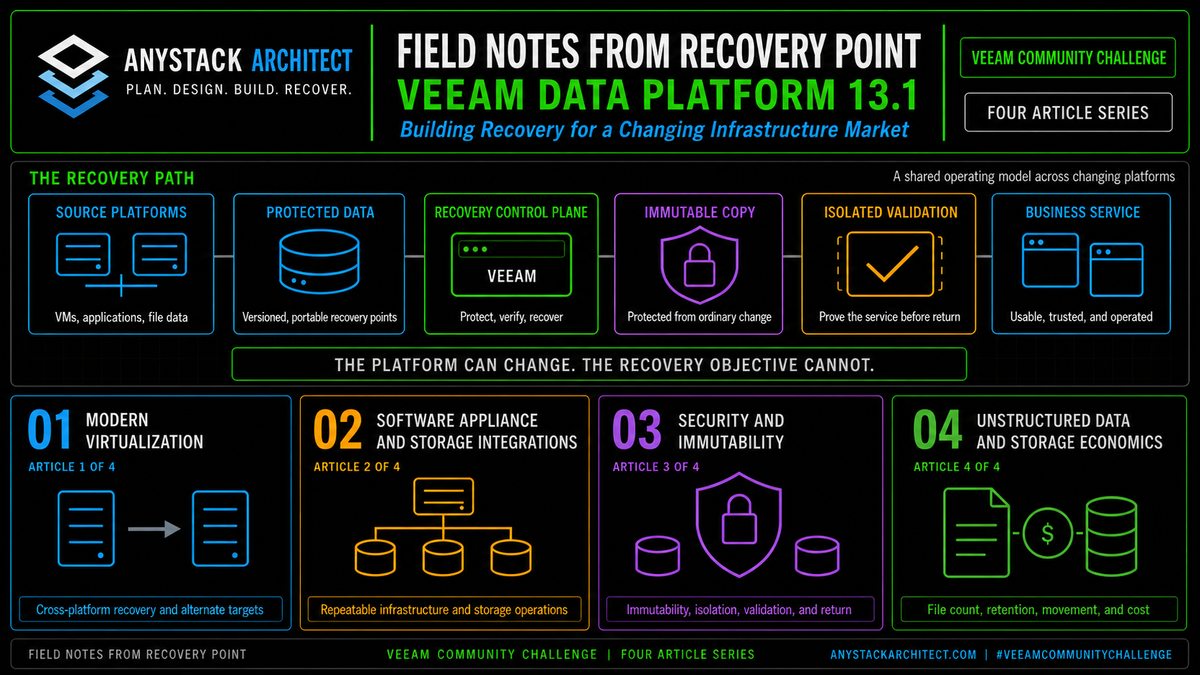
Field Notes from Recovery Point | Article 3 of 4 | Security & Immutability
Immutability protects backup data from change or deletion during a defined period. That is a critical control, especially when attackers target the recovery path. It is still only one part of recovery. At Recovery Point, we test beyond the repository because a clean, locked backup cannot restore an identity service that nobody can authenticate to, connect an application to a missing network, supply credentials that were stored only in production, or prove that a selected restore point is safe. The goal isn't preserving files. It's returning a trusted business service to operation.
This article is part of a four-part series examining what Veeam Data Platform 13.1 means in real recovery environments. The observations are based on Recovery Point's work designing, testing, and operating recovery services across VMware, Hyper-V, Nutanix AHV, Proxmox VE, OpenShift, cloud, physical infrastructure, and unstructured data platforms.
Release status: Veeam Data Platform v13.1 is now released. This article discusses released v13.1 capabilities and the operational reasons they matter. Confirm editions, supported workloads, platform limits, security behavior, and upgrade guidance before production deployment.[1]
Immutability preserves an option, not an outcome
An immutable backup cannot be modified or deleted during its configured protection period. Veeam supports this model through Linux hardened repositories and object storage immutability. On a hardened repository, backup files remain protected from move, modification, and deletion while the immutability period is active. Object storage repositories can use object lock behavior to prevent deletion until the expiration date.[3][4]
That control matters because ransomware and destructive administrator activity can target backup data directly. A repository that accepts ordinary delete or overwrite operations from the same administrative path as production is a weak recovery foundation.
Immutability changes that part of the design. It preserves recovery points even when an account, server, or workflow attempts to remove them. But it doesn't answer the next questions.
- Which restore point is clean?
- Can the backup platform still authenticate and operate?
- Are encryption keys, configuration backups, credentials, and installation media available?
- Can identity services be restored before dependent workloads?
- Is there an isolated network where systems can be tested safely?
- Can the application owner prove that the recovered service is usable?
- Can the recovered environment return to production without reconnecting a threat?
An immutable copy gives the organization a protected option. Recovery depends on everything required to turn that option into a trusted service.
Don't measure recovery readiness by the number of locked restore points. Measure it by the number of tested paths from a protected point to a working application.
The recovery chain has more links than the repository
The repository is one link in a larger recovery chain. The chain also includes the backup control plane, administrative access, and identity. It includes name resolution, networks, compute, and storage. And it ends with application dependencies, validation, and the decision process that authorizes return to production.
Each link can fail independently.
A team may have immutable backups but no current configuration backup for the Veeam server, or a configuration backup but no accessible encryption password. Domain controllers may restore cleanly while the credentials and procedure needed to rebuild the forest safely are missing. An application may start in an isolated environment and then stall because its license service, database, or external API never made the trip. And the selected restore point may predate the encryption event while still containing an attacker foothold. That's why backup success and recovery success are different measurements.
| Control | What it protects | What it does not prove |
|---|---|---|
| Immutability | Prevents protected backup data from being changed or deleted during the configured period. | That the restore point is clean, complete, or usable by the application. |
| Encryption | Protects backup data from unauthorized reading. | That keys and passwords will be available during a recovery. |
| Four-eyes authorization | Requires a second approval for sensitive deletion and repository removal actions. | That identity, role assignment, and approval paths will survive an incident. |
| Malware detection | Identifies suspicious activity, infected objects, or restore points that require investigation. | That every threat will be detected or that the selected point is business ready. |
| Recovery verification | Starts or analyzes protected systems and tests defined recovery conditions. | That every dependency outside the test scope is available. |
| Identity recovery | Restores the authentication foundation needed by users, systems, and administrators. | That applications, networks, and data are safe to reconnect. |
Recovery Point tests by removing assumptions
At Recovery Point, we test recovery by removing normal assumptions. The test is intentionally harder than a normal restore demonstration.
We remove expected dependencies, change recovery targets, and isolate networks. We test alternate hypervisors and clean infrastructure, and we make another operator follow the runbook without help from the person who wrote it. Then we look for the point where a process depends on one person, one credential, one management server, one network path, or one undocumented decision.
The point of all this is to expose hidden dependencies while the customer still has time to correct them, instead of during an incident.
Article 1 described our use of Veeam v13 VMware backups to restore workloads from two major corporate vCenter environments into Hyper-V. The virtual machines restored, but Windows guest cleanup still required a scripted VMware Tools removal step after the cross-platform move. The backup performed exactly as designed. The remaining effort sat in the gap between a successful restore and a completed migration.
Security recovery has the same gap.
The restore process may complete while the business service remains unusable. An application can boot but fail authentication. A database can mount but contain data that security has not cleared. A server can pass a malware scan but still have an unsafe trust relationship or scheduled task. A domain controller can start while the recovery team is still missing DNS, time, certificates, or a clean administrative workstation.
A test designed only to pass will confirm the runbook that already exists. A resilience test should also prove what happens when the expected identity, network, management plane, or recovery target is unavailable.
A clean recovery needs six connected stages
The following workflow is a representative Recovery Point sequence, not a single product feature, and it varies by customer. The point is to connect storage security, threat investigation, identity, infrastructure, and application validation into one operating sequence.
Stop destructive actions, protect immutable points, retain logs, and avoid changing the only useful evidence.
Use incident timing, backup events, threat indicators, and business data requirements to choose a point for testing.
Restore the minimum trusted identity, DNS, time, and administrative access required by dependent systems.
Recover systems to a controlled network with defined egress, inspection, logging, and no accidental production access.
Test malware status, startup order, authentication, data integrity, transactions, dependencies, and operator access.
Require security, infrastructure, and application approval before network changes or user access are restored.
Figure 1. A representative clean recovery workflow. The immutable copy is the protected input. The recovery outcome depends on identity, isolation, validation, and controlled reconnection.
The workflow should record evidence at every stage. The team needs to know which point was selected, why it was selected, which scans ran, which systems started, which tests passed, which exceptions remain, and who approved the next action.
This turns recovery from a series of urgent technical decisions into a controlled operating process.
Threat detection narrows the recovery window
Veeam v13 provides several malware detection paths. The platform can analyze guest indexing data and the backup data stream, scan backups with Veeam Threat Hunter, third party antivirus software, or YARA rules, perform Secure Restore, integrate through the Veeam Incident API, and track restore points or machines marked as suspicious, infected, or clean.[6]
Inline scanning analyzes block metadata during the backup job and records a ransomware index for later evaluation. This gives the recovery team another source of timing and anomaly information when it is trying to determine when suspicious change began.[7]
Secure Restore can scan a restore point before the machine returns to production. Veeam supports Veeam Threat Hunter, third party antivirus engines, and YARA scanning for this process.[8]
These controls reduce guesswork, but they don't remove the need for incident context.
Malware tools can produce false positives and false negatives. A clean scan doesn't prove that credentials are safe, that an attacker didn't create a trusted account, that a remote management path is clean, or that the application data is internally consistent. And a suspicious result doesn't automatically mean the entire restore point is unusable.
The security team, recovery team, and application owner need a shared decision model. Detection provides evidence. The recovery process decides how that evidence affects point selection, isolation, retesting, and return to service.
Use threat detection to narrow the recovery window and increase confidence. Don't use one scan result as the only approval required to reconnect a business service.
Verification must include live application behavior
Veeam SureBackup exists to test whether protected machines can be recovered. Veeam documents full recoverability testing that starts machines in an isolated environment and runs tests against live applications. It also supports verification and content scan workflows that can check backup integrity and analyze content without a full virtual lab.[9][10]
This matters because file integrity and application usability are not the same test.
A useful recovery verification plan should include technical and business checks.
- Does the operating system start without repair prompts?
- Do required services start in the correct order?
- Can the workload authenticate against the recovered identity environment?
- Can the application connect to its database and dependent services?
- Can an application owner complete a representative transaction?
- Do monitoring, logging, endpoint security, and backup protection return?
- Can the test be repeated with a different restore point or target?
Automated heartbeat and application tests are useful. They should be extended with scripts and owner validation that reflect the actual service.
A web server returning a page may still be missing authentication, payment processing, file shares, or database writes. A domain controller accepting a logon may still require a broader forest recovery sequence. A database reporting healthy may still contain a bad business state.
The test scope has to match the recovery claim.
Identity is part of the recovery infrastructure
Identity is often treated as another protected workload. During a destructive incident, it becomes recovery infrastructure.
Administrators need authentication to operate recovery tools. Servers need domain services, DNS, time, certificates, and service accounts. Applications rely on group membership, trusts, managed identities, and policy. If the identity plane is unavailable or untrusted, every dependent recovery slows down.
Veeam Data Platform v13.1 adds automated Active Directory Forest Recovery. The workflow is intended to let teams select a forest point-in-time, define domain controllers for each domain, specify backup sources and targets, and run a guided recovery sequence. Veeam positions this as a controlled alternative to a long manual forest recovery process.[2]
And it's one of the most important security additions in the release, because it connects identity recovery directly to workload recovery.
The feature still needs the same design discipline as every other recovery control. Organizations need protected domain controller backups and documented forest topology, clean administrative access, DNS and time planning, and a credential and approval process for reconnecting the recovered forest.
Automation can reduce manual error and recovery time. It can't decide which point is trusted, which systems may connect, or whether the incident is contained.
Administrative separation protects the recovery path
Immutability is stronger when the accounts that operate production cannot silently destroy the recovery copy.
Veeam v13 supports four-eyes authorization for sensitive operations. When enabled, deletion of backup data or removal of a repository requires approval from another authorized administrator.[5]
This is valuable because a compromised backup administrator account shouldn't have unchecked authority to remove the last protected copy. The control also creates operational requirements of its own.
The second approver has to be available, with an identity independent enough to survive the same incident. Role assignments need review, and emergency procedures have to define who can approve, how the request is verified, and what happens when the normal identity provider is unavailable.
Administrative separation should extend beyond one product setting.
- Separate production administration from backup and recovery administration where practical.
- Use dedicated credentials and multifactor authentication.
- Protect encryption passwords and recovery keys outside the production environment.
- Restrict repository and object storage administration.
- Send security events to a monitoring path that an attacker cannot erase through the backup console.
- Maintain a clean workstation and access path for recovery operations.
The controls should never pile up to the point where recovery itself becomes impractical. What they need to prevent is one compromised path controlling production, backup data, and recovery approval at the same time.
Where immutable designs still fail
| Failure mode | Why the immutable copy is not enough | Recovery control |
|---|---|---|
| One protected repository in the production site | The data may survive deletion but remain unavailable after a site, storage, or network failure. | Maintain a separate copy and prove access without the production site. |
| Backup and production share the same identity path | A compromised or unavailable directory can block operators from the recovery platform. | Use protected accounts, independent access, and a tested emergency identity procedure. |
| No clean point selection process | The newest locked point may contain encrypted data, persistence, or a bad application state. | Use incident timing, detection evidence, and repeated isolated tests. |
| No isolated recovery network | Recovered systems can contact production, the internet, or attacker infrastructure before validation. | Prepare controlled networks, egress policy, logging, and routing gates. |
| Identity restored after applications | Dependent systems fail authentication, name resolution, policy, and service account checks. | Define an identity-first startup sequence and forest recovery runbook. |
| Only infrastructure staff validate | A VM can boot while the business process remains broken. | Require application owner tests and documented acceptance criteria. |
| No controlled return to production | A clean environment can be exposed to an uncontained threat or conflicting production service. | Use security, infrastructure, and business approval before network reconnection. |
Long immutability periods require capacity and operating discipline. Protected data cannot be deleted early to correct a sizing mistake. And on object storage the lock runs longer than the number you configured: Veeam automatically extends the immutability expiration by a Block Generation period, up to 30 days depending on the object storage type.[12] Model retention and growth, object lock behavior, legal requirements, and repository capacity before the policy is applied, and add the generation window on top. Article 4 in this series works through that math.
What v13.1 adds to the security chain
Veeam describes the v13.1 security direction through secure infrastructure, secure data, and secure recovery.[2]
For secure infrastructure, Veeam says v13.1 simplifies and consolidates required network ports while building on the hardened Software Appliance, Recon detection, and security ecosystem integration.
For secure data, Veeam adds early support for a hybrid FIPS and post-quantum cryptography approach. It also extends threat detection to NAS and Azure workloads, with AWS to follow. The broader goal is to detect suspicious change across more of the protected estate instead of limiting analysis to traditional virtual machines.
For secure recovery, automated Active Directory Forest Recovery addresses the identity dependency that can block every other recovery task.
Each of these strengthens a different link in the chain, and none of them collapses the chain into one button.
Licensing, supported workloads, and platform coverage still need to be validated in the target environment. We'll treat the released capabilities as inputs to architecture and runbook updates, then prove them in representative customer recovery scenarios.
Upgrade features should reduce manual risk, expand evidence, and shorten recovery. They still have to be placed inside a tested process with owners, gates, and fallback paths.
A recovery assurance model for the full stack
A mature design can be evaluated as six layers. Every layer has a technical control and an operating proof.
Immutable, encrypted, monitored, retained, and available in more than one failure domain.
Hardened access, protected configuration, independent credentials, and rebuild instructions.
Inline indicators, scan results, event history, incident timing, and retained security logs.
Known recovery order, protected directory backups, DNS, time, credentials, and clean administration.
Safe networks, malware scans, startup testing, application transactions, and owner acceptance.
Documented approvals, network gates, monitoring, protection restart, and evidence retention.
Figure 2. Recovery assurance spans the protected data, the people and systems that control it, and the process used to validate and reconnect the application.
What to test before calling the design recoverable
A useful test plan should force the recovery architecture to operate without its normal assumptions.
- Confirm that immutable points cannot be deleted through the backup console or repository administration path during the protection period.
- Recover the Veeam configuration to a clean control plane and prove access to repositories, credentials, encryption passwords, and licenses.
- Test four-eyes approval with the normal identity provider available, then document the emergency path when it isn't.
- Use malware detection evidence to select multiple candidate restore points and compare the results.
- Run Secure Restore or equivalent scanning before production reconnection.
- Start representative systems in an isolated network and validate live application behavior.
- Recover the minimum identity, DNS, and time services required by the application sequence.
- Remove a normal dependency, such as the production hypervisor, storage array, or management network, and repeat the test.
- Require a second operator to follow the runbook without undocumented help from the original architect.
- Record the approvals and network changes required to return the validated environment to service.
The result should be an evidence package: restore points tested, systems recovered, scans completed, exceptions found, application checks passed, timings measured, and runbook changes assigned.
That package is more useful than a report that says the backups are immutable.
Why should customers upgrade to Veeam Data Platform 13.1 now?
Customers should upgrade to Veeam Data Platform 13.1 now because modern recovery requires security controls around the entire recovery chain, and the backup files are just one link in it.
Immutability remains essential. It protects the recovery points that every later step depends on. Veeam v13 already combines hardened repository options, object storage immutability, four-eyes authorization, malware detection, Secure Restore, SureBackup, and security visibility through Veeam Threat Center.[11]
v13.1 extends that direction with broader threat detection, identity recovery automation, network security simplification, and early cryptography changes designed for future requirements.
Treat the upgrade as the trigger to review repository design, administrative separation, identity recovery, isolated networks, and application verification, plus the approval gates for returning to service. The upgrade itself completes none of those.
At Recovery Point, our standard is simple: a backup is not proven because it is present, and it is not proven because it is locked. It is proven when a team can use it to recover a trusted application under conditions that resemble the failure they are preparing for.
Immutability protects the possibility of recovery, and testing is what turns that possibility into a capability.
Key Takeaways
- Immutability prevents protected backup data from being changed or deleted, but it doesn't prove that a restore point is clean or usable.
- Recovery depends on the control plane, credentials, identity, DNS, networks, compute, storage, application dependencies, and approval process.
- Recovery Point tests resilience by removing normal assumptions and forcing the runbook to operate through alternate paths.
- Veeam v13 provides layered controls through hardened repositories, object immutability, four-eyes authorization, malware detection, Secure Restore, SureBackup, and Threat Center visibility.
- v13.1 adds broader threat detection, Active Directory Forest Recovery, secure transport, and future cryptography requirements.
- Use the upgrade to review the documentation, perform a security review, and complete production validation before broad rollout.
Challenge answer: Customers should prepare to upgrade now because the recovery path must remain trusted even when production identity, networks, management systems, and data are under attack.
#VeeamCommunityChallenge
Sources
- Veeam Backup & Replication 13.1. Current public release status and high-level v13.1 positioning.
- Veeam Data Platform v13.1 Announcements from VeeamON 2026. Secure infrastructure, secure data, threat detection, cryptography, and Active Directory Forest Recovery capabilities.
- Hardened Repository. Current v13 hardened repository purpose, immutability, and secure authentication behavior.
- How Immutability Works for Object Storage. Current v13 object storage immutability behavior and expiration model.
- Four Eyes Authorization. Current v13 approval workflow for sensitive backup deletion and repository removal operations.
- Malware Detection. Current v13 malware detection methods, scanning engines, incident integration, and restore point status handling.
- How Inline Scan Works. Current v13 inline data stream analysis and ransomware index behavior.
- Secure Restore. Current v13 malware scanning options before production restoration.
- SureBackup. Current v13 recovery verification capability.
- How SureBackup Works. Current v13 full recoverability testing and content scan modes.
- Veeam Threat Center. Current v13 security, compliance, protection, and recovery visibility.
- Block Generation. Current v13 default Block Generation periods by object storage type.
Sources were accessed July 21, 2026. Product behavior, supported workloads, editions, and upgrade guidance may change in later updates and releases.