Field Notes from Recovery Point | Article 1 of 4 | Modern Virtualization
For years, recovery design started with the production hypervisor. VMware production meant VMware recovery. Hyper-V production meant Hyper-V recovery. That was easy to explain and often easy to operate. It's no longer a safe assumption. At Recovery Point, customer DR work and our own internal projects now span VMware, Hyper-V, Nutanix AHV, Proxmox VE, and OpenShift Virtualization. We also used Veeam v13 VMware backups to restore workloads cross-platform from two major corporate vCenter environments into Hyper-V. The lesson was direct. The application and its recovery objective have to lead the design. The source hypervisor does not.
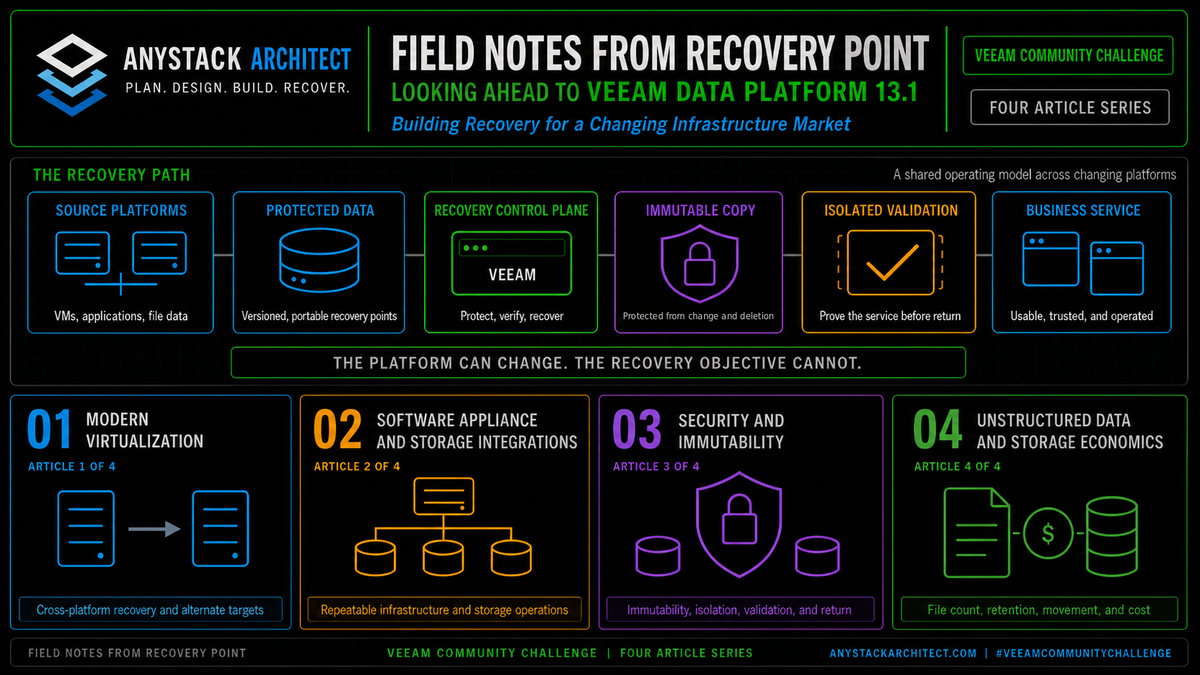
This article is part of a four-part series examining what Veeam Data Platform 13.1 means in real recovery environments. The observations are based on Recovery Point's work designing, testing, and operating recovery services across VMware, Hyper-V, Nutanix AHV, Proxmox VE, OpenShift, cloud, physical infrastructure, and unstructured data platforms.
Release status: As of July 21, 2026, Veeam still labels Data Platform v13.1 as coming soon. This article discusses announced capabilities. Confirm final release notes, platform limits, editions, and upgrade guidance before production deployment.[1]
The old assumption was simple
A large part of enterprise virtualization grew around standardization. Pick a primary platform. Build the operating model around it. Train the team. Buy the tools. Mirror the same stack at the recovery site.
That choice had real value. The same administrative model existed at both sites. The same virtual hardware, networking concepts, and operational tools applied. Recovery testing was easier because the target looked familiar. Many recovery designs also assumed compatible source and target platforms.
The weakness was hidden in the assumption. The recovery plan inherited every major decision made for production. Licensing followed the source platform, and so did hardware certification, management tooling, automation, and staff knowledge. The recovery environment became a second copy of the production decision.
That was manageable while the company had one dominant hypervisor and a stable direction. It becomes restrictive when the infrastructure team is asked to support several platforms at once, and that is exactly the shift we are seeing now.
Some customers still run large VMware estates and expect to do so for years. At the same time, a new project may arrive on Nutanix AHV. A Microsoft aligned workload may move to Hyper-V. A cost driven lab or secondary environment may land on Proxmox VE. An application team may require OpenShift Virtualization for a new platform project.
None of those decisions has to replace the others. They can all exist in the same company, and the recovery design has to account for that before the first incident.
A mixed hypervisor estate is not a future state for many organizations. It is already the operating state. The recovery plan is often the last document to admit it.
What changed at Recovery Point this year
We've added several hypervisors at Recovery Point this year, for customer DR requirements and for our own use. The work hasn't followed one clean migration path. It's come from several directions.
Customers are bringing Nutanix AHV into new projects. Other requirements point to OpenShift Virtualization. Hyper-V remains a practical choice where Microsoft skills and Windows operations are already strong. Proxmox VE appears in evaluations where cost, control, or a different operating model matters.
VMware hasn't disappeared from those environments, and it remains a large part of the installed base. But it's no longer the automatic answer for every new workload or every recovery target.
That changes the first architecture meeting. The old question was, "How do we protect this vCenter?" The better question is, "Where can this application be recovered, and what has to be true for the service to work there?"
That question is harder and more useful at the same time.
It forces the team to separate the application from the platform that happens to run it today, exposes dependencies that a same platform recovery can hide, and shows where the recovery plan is tied to one management plane, one licensing model, or one set of administrators.
We have had to examine each of those points in customer work and in our own environment.
There's no value in adding another hypervisor just to say the company supports it. Each one brings its own patching and monitoring load, its own capacity and network integration questions, and its own training bill. The value comes from a specific requirement. The requirement may be a new application platform, a customer DR target, a migration destination, or a second recovery option. That's why the work has to stay application centered.
The move from two vCenter environments to Hyper-V
Our recent internal project made the issue concrete. We used Veeam v13 VMware backups from two major corporate vCenter environments and restored those workloads cross-platform into Hyper-V.
The destination logo was the least interesting part of the project. The operating method is what carried over.
The team needed a controlled path from the existing VMware estate into a Hyper-V target. We had to preserve recovery points, choose migration waves, map networks, account for application dependencies, validate startup, and move each workload onto its final storage. The project had to remain recoverable while the platform underneath it changed.
Veeam documents Instant Recovery to Microsoft Hyper-V as both a recovery method and an infrastructure migration option. It can recover VMware vSphere backups as Hyper-V virtual machines. During the initial recovery, the workload runs from compressed and deduplicated backup data. Veeam also states that this temporary state has limited I/O performance and must be finalized onto production storage for full performance.[3]
That distinction matters, because fast startup and completed migration are different milestones. The first success point is that the VM boots on the target. The final success point is that the application runs correctly, data lives on the intended storage, operations teams can manage it, monitoring is active, and backup protection resumes from the new platform.
Veeam also documents network mapping, target host and datastore selection, name changes, secure restore settings, and finalization as explicit parts of the recovery workflow.[3]
Those steps match what engineers actually have to solve. The platform conversion is only one part of the work.
The guest cleanup step was easy to miss
One practical caveat appeared only after the restored workloads were running on Hyper-V. In our migration, VMware Tools would not uninstall through Add or Remove Programs once the Windows VM was no longer running on the VMware platform.
The cross-platform restore had worked. The server could boot and the application could be tested. The guest transition was still incomplete because software from the old virtualization platform remained installed.
We solved that with a scripted removal process. A one-time PowerShell step removed VMware Tools after the migration. We then repeated the guest and application checks before closing the migration wave.
This is a small detail on one server. Across a migration, it becomes a runbook and automation requirement. It also reinforces the larger point. Cross-platform recovery is complete only when the guest is clean, supportable, protected, and ready to operate on the target platform.
Inventory workloads, networks, storage, and dependencies.
Select a known restore point and confirm repository access.
Create the target VM and connect the intended virtual network.
Test boot, identity, DNS, ports, data, and application function.
Move the workload off temporary backup I/O and onto production storage.
Remove legacy platform tools, validate the guest, restore monitoring and backup, and hand off ownership.
Figure 1. Simplified field flow for moving workloads from VMware to Hyper-V. Environment names and internal identifiers are omitted.
Firmware and virtual hardware still matter
A source VM contains assumptions about how it boots. Veeam's Hyper-V recovery process evaluates the source partition layout and creates a generation 1 or generation 2 Hyper-V VM based on what it detects. EFI and GPT indicators lead to generation 2 in the documented cases. BIOS boot indicators lead to generation 1.[3]
That automation removes manual work. The validation stays.
The engineer still needs to confirm that the guest starts cleanly, that the disk layout is correct, that the operating system sees the expected devices, and that any security controls tied to firmware or virtual hardware still behave as intended.
Network mapping is not a cosmetic step
A migrated VM may land on a different virtual switch, VLAN, subnet, or security zone. That can break static addresses and DNS registration first, then firewall rules and load balancer pools, then the allow lists and monitoring targets nobody remembered were address based.
We treat the network change as application work, not just virtualization work.
A VM that starts on an isolated switch still has no users, and a VM connected to production before the firewall and identity checks finish can create a different kind of outage.
The backup policy has to follow the move
Powering off the source VM is the halfway mark, whatever it feels like in the moment.
The new Hyper-V workload needs to be placed into the correct backup job or policy. The first successful backup must be confirmed. Retention and encryption settings have to be reviewed again, along with application processing, copy jobs, and the recovery testing schedule. Monitoring and reporting must point to the new object.
Otherwise the team has completed the infrastructure move and opened a protection gap.
A VM that boots is not a recovered service
This is the most useful lesson from any recovery across platforms.
Virtualization teams often measure success at the console. The VM is powered on. The operating system reaches a login screen. The job reports success.
The business measures something else.
Can a user sign in? Can the application reach its database? Is DNS correct? Does the service account still work? Can the load balancer reach the node? Is the license valid on new virtual hardware? Is the data current? Is the application writable? Can the help desk support it?
Those questions have to be part of the recovery test.
| Validation area | What the team must prove |
|---|---|
| Boot and guest state | The operating system starts without repair prompts, missing disks, or driver failures. |
| Network | The correct virtual switch, VLAN, address, gateway, DNS, routes, and firewall paths are in place. |
| Identity | Domain trust, service accounts, certificates, and required authentication services work from the target site. |
| Application chain | Databases, middleware, file shares, APIs, and startup order are available in the right sequence. |
| Performance | The workload has moved from temporary recovery I/O to storage that can meet the service objective. |
| Guest platform cleanup | Legacy hypervisor tools are removed and the guest is clean and supportable on the target platform. |
| Operations | Monitoring, logging, backup, patching, CMDB records, and support ownership are active. |
| Exit plan | The team knows whether this is temporary DR, a permanent migration, or a staged return to another platform. |
This is also why a same platform recovery can create false confidence. Familiar virtual hardware and networking can allow the team to skip questions that become obvious on a different target.
Recovery across platforms is less forgiving, and that turned out to be useful. It exposes the real dependencies.
Don't treat a powered on VM as proof of recovery. The application owner must validate function, data, access, and business use. Infrastructure validation is required, and it's still not the final acceptance test.
Production and DR can diverge on purpose
There are good reasons to run the same hypervisor in production and DR.
The team already knows the platform. Network and storage automation may be reusable. Replication features may require matching targets. Application vendors may certify one platform. A symmetrical design may deliver the best RTO for a specific service.
Those are valid reasons. "We have always done it that way" is not.
I'll say the quiet part. A matching DR platform that has never carried a full recovery test is worth less than a mismatched one that gets tested quarterly. Familiarity you've never exercised under pressure is a license renewal with a story attached, not an RTO advantage. If the symmetry argument in your design doc can't point at a dated test result, it isn't an argument yet.
A different recovery platform can be reasonable when it meets the application objective and the team can operate it under pressure. It may provide an alternate target during a migration. It may reduce dependence on one management plane. It may allow a service provider to recover customers with different source platforms into a controlled recovery environment.
It also creates work. The DR team needs target platform skills. Capacity must be reserved. Network mappings must be maintained. Runbooks must account for virtual hardware changes. Recovery tests have to prove the service, not just the VM. The target must be patched, monitored, and secured even when it is not carrying production load.
Nobody wins anything by collecting hypervisors. What earns the added work is a recovery path that survives when the source platform is unavailable, untrusted, too expensive for the target design, or no longer part of the company's direction.
Here's the part some readers will push back on. When I ask why the DR site matches production, the honest answer is usually that nobody decided. The match was inherited, and the licensing, hardware, and skills bill came with it. The most common waste I see in recovery designs is a symmetric platform reserved under workloads that a cheaper, tested target would have recovered inside their objective. If the service tier analysis has never been done, the matching platform is a default wearing a strategy's clothes. Plenty of teams will disagree, usually the ones who have to operate the second platform at three in the morning, and that operational argument deserves respect. It just has to be made, and priced, on purpose.
| Old design question | Better recovery question |
|---|---|
| How do we reproduce this vCenter? | Where can this application run safely within its RTO and RPO? |
| Did the backup job complete? | Can the team recover and validate the service from that restore point? |
| Does DR match production? | Is the target tested, supported, secured, and operable? |
| Did the VM boot? | Can users authenticate, reach the service, and use current data? |
| Which hypervisor do we own? | Which recovery options do we control? |
Match the recovery target to the service tier
Mixed platform recovery comes with rules. Most workloads still get one sensible target, a tested alternate, and nothing else.
Some services need the lowest possible RTO and a familiar operating model. Identity, core databases, and tightly coupled application stacks may justify a prepared target on the same hypervisor. Replication and orchestration may also make that the most predictable choice.
Other workloads have more room. A file service, utility server, or application with a longer RTO may be a good candidate for recovery to another hypervisor. The target can be less expensive or can use capacity already present at the recovery site. The trade is more validation and more steps in the runbook.
Migration work is another category. The team may not be recovering from an outage at all. It may be using trusted backup data to move an application into a new platform under controlled change windows. The same recovery tools are involved, but the acceptance criteria and rollback plan are different.
| Service need | Likely target approach | What must be proved |
|---|---|---|
| Lowest RTO | Prepared target on the same platform when the application and recovery tooling require it. | Startup order, automation, capacity, network readiness, and application acceptance. |
| Alternate DR target | Recovery to Hyper-V, Nutanix AHV, Proxmox VE, or another tested platform. | Virtual hardware, networking, identity, application function, storage, and new backup coverage. |
| Platform migration | Restore or Instant Recovery into the destination as part of a planned move. | Rollback, final storage placement, performance, operations handoff, and source retirement. |
| Last available option | Any supported target that can restore business function within an accepted extended RTO. | Manual steps, temporary controls, business approval, and a later move to the long-term platform. |
The right answer is a service tier decision, and that keeps the design honest. Portability here means the ability to choose a tested target based on the service objective and the conditions of the incident, without pretending every target is equal.
The recovery plan should name the preferred target, the alternate target, and the conditions that allow each one to be used.
Why Veeam Data Platform 13.1 fits this direction
Veeam Backup & Replication v13 already documents protection for VMware vSphere, Microsoft Hyper-V, Nutanix AHV, Proxmox VE, Scale Computing HyperCore, and HPE Morpheus VM Essentials, among other workload types.[2]
Veeam has announced that Data Platform v13.1 will extend hypervisor coverage with Red Hat OpenShift Virtualization, Sangfor aSV, Vates XCP-ng, and Citrix XenServer. Veeam also says the release continues its Universal Hypervisor API approach, where hypervisor vendors build and maintain integrations that Veeam validates and supports. The announced integrations include portable recovery across platforms.[4]
That direction matches what we are seeing in the field. No customer we work with is converging on a single universal VMware replacement. Their decisions turn on application needs and existing skills as much as on commercial terms, hardware, and who owns the project. One business may make several different choices.
A backup platform that can follow those choices reduces the need to create a separate protection silo for every new hypervisor.
Feature depth still varies by platform, sometimes by a lot.
Support matrices differ, and so do backup methods, application processing, recovery targets, and licensing. New integrations also need field testing. The correct response is to verify each platform, not assume every workflow is interchangeable.
The value is broader choice with one recovery control plane, and for a service provider that matters. Customer production platforms will not be uniform. DR targets will not always match the source. New platforms will enter the service catalog. Recovery operations still need a common set of controls, reporting, and tested procedures.
Veeam's public announcement positions v13.1 around portable protection across more hypervisors, and its May press release targets general availability in early Q3 2026.[5]
As of this writing, the product page still says coming soon. That's a reason to plan, not a reason to pretend the release is already installed.
What to test before the next platform decision
Don't wait for a migration project to discover whether the recovery design can move.
Pick a representative application now. Choose one that is important enough to expose real dependencies, but not so sensitive that the first test becomes a business event. Then run a recovery exercise against an alternate target.
1. Record the application, not just the VM
List every server, database, and share the service needs, then the certificates and service accounts behind them, then the DNS records, firewall paths, and external dependencies nobody wrote down. Record the startup order and the owner who can approve the result.
2. Confirm the restore point
Verify that the backup chain is available, the repository can be reached, encryption keys are accessible, and the selected restore point is appropriate for the test. A green job history proves the job ran, and nothing else.
3. Prepare the target before recovery
Reserve compute, storage, and networking. Confirm administrator access. Document the target switch and VLAN, the DNS plan, and the firewall and isolation controls. Decide how the workload will move from temporary recovery I/O to final storage.
4. Recover into isolation first
Prevent duplicate addresses, duplicate host identities, or unintended communication with production. Validate the guest and the application before opening the required paths.
5. Test business function
Have the application owner sign in and perform a real transaction or read test. Confirm data currency, permissions, integrations, and error handling. Capture evidence.
6. Finalize the workload
Move the VM to its intended storage. Remove legacy platform tools. Recheck performance. Confirm monitoring and logging are pointed at the new object, endpoint controls and patching apply, and backup coverage has resumed. Update the CMDB and support documentation.
In our migration, this step included the one-time PowerShell removal of VMware Tools because Add or Remove Programs did not complete the uninstall after the guest moved to Hyper-V. That detail now belongs in the runbook instead of remaining an undocumented manual fix.
7. Write down what failed
The failed first attempt is often the most valuable part of the test. It exposes the hidden IP references and certificate assumptions, the missing routes, the unsupported device, the ownership gap nobody claimed. Fix the runbook while the evidence is fresh.
A clean demo is nice. The outcome worth having is a repeatable procedure another engineer can run under pressure. Recovery has to survive a staff change, a bad night, and a source platform that is no longer available.
Why should customers upgrade to Veeam Data Platform 13.1 now?
Customers should prepare to upgrade to Veeam Data Platform 13.1 now because their infrastructure is already becoming more diverse, while many recovery plans are still tied to one source hypervisor.
A new project can introduce another platform quickly. So can an acquisition, a licensing change, or a DR requirement. The backup design needs to be ready before that decision becomes urgent.
Veeam has announced broader hypervisor coverage and portable recovery across the new integrations in v13.1. That gives customers a better base for protecting what they run today and for recovering workloads when the target platform changes.
"Now" still has to respect release status and change control. As of July 21, 2026, v13.1 remains listed as coming soon. Inventory the current environment now. Map application dependencies now. Select alternate recovery targets now. Build the test plan now. Then deploy the release after GA, final documentation review, and normal production validation.
Don't wait for an outage or a forced migration to learn that the recovery plan only works on the platform the company is trying to leave.
At Recovery Point, we are no longer designing around the assumption that every workload will return to the hypervisor where it started. We are designing so the application remains recoverable when the platform, management plane, or business direction changes.
The hypervisor still matters. It's simply no longer the center of the recovery strategy.
Key Takeaways
- Mixed hypervisor estates are already common in customer and internal projects.
- Veeam v13 VMware backups gave us a cross-platform path to Hyper-V, while guest cleanup, including scripted VMware Tools removal, still had to be completed after restore.
- Production and DR may use different hypervisors when the target is tested, supported, secured, and operable.
- Veeam has announced OpenShift Virtualization, Sangfor aSV, Vates XCP-ng, and Citrix XenServer support for v13.1.
- Plan the v13.1 upgrade now, then deploy after GA and normal validation.
#VeeamCommunityChallenge
Sources
- Veeam Data Platform v13.1 product page
- Veeam Backup & Replication v13 supported platforms
- Veeam Backup & Replication v13 Instant Recovery to Microsoft Hyper-V
- Veeam Data Platform v13.1 announcements from VeeamON 2026
- Veeam preview and availability announcement for Data Platform v13.1
Source access and release status checked July 21, 2026.