

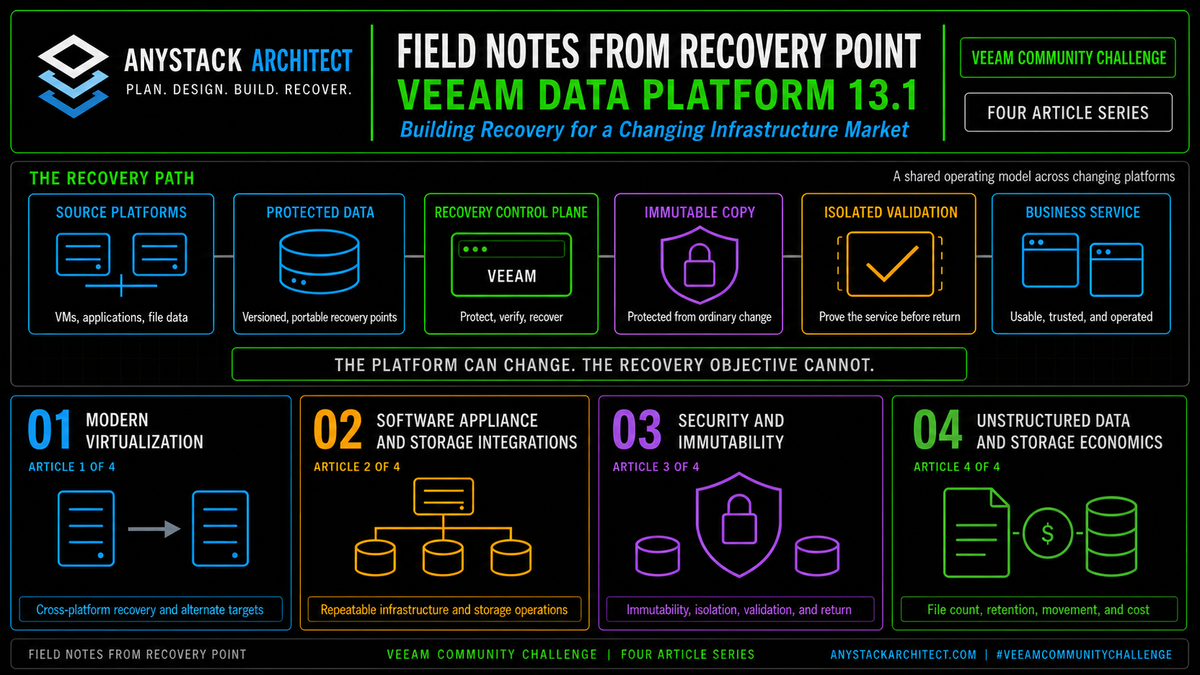
Field Notes from Recovery Point | Article 2 of 4 | Veeam Software Appliance & Storage Integrations
The backup server can reach the systems that matter most during a recovery. It knows the hypervisors, the storage arrays, the repositories, the credentials that open all of them, and the networks a restore will travel. Yet many organizations still build it like an ordinary utility server. At Recovery Point, that approach doesn't scale. We can't let every customer recovery site and internal environment become its own unique combination of operating system decisions, firewall rules, proxy placement, and undocumented exceptions. Veeam's appliance model and storage integrations matter because they attack the same operational problem from two directions. The appliance reduces infrastructure variance. Storage integration reduces the load that data protection places on production.
This article is part of a four-part series examining what Veeam Data Platform 13.1 means in real recovery environments. The observations are based on Recovery Point's work designing, testing, and operating recovery services across VMware, Hyper-V, Nutanix AHV, Proxmox VE, OpenShift, cloud, physical infrastructure, and unstructured data platforms.
Release status: Veeam Data Platform v13.1 is now released. This article discusses released v13.1 capabilities and the operational reasons they matter. Confirm platform limits, editions, storage support, and upgrade guidance before production deployment.[1]
The backup server is the recovery control plane
A backup server is easy to underestimate because most of its work happens outside the production application path. It serves no customer transactions and holds no database of record. It may sit quietly until a job fails or someone needs a restore.
Its authority tells a different story.
The platform may have access to virtualization managers, hypervisor hosts, and storage systems. It may hold cloud accounts, encryption keys, and application credentials, and it can reach every backup repository and recovery network. It can read protected data and place restored data back into production. During an incident, it may become the system that determines which restore points exist and which workloads can return.
That makes it a recovery control plane, not a background utility.
A control plane built from a one-time server installation inherits every operating decision around it. Who patches the operating system? Which team owns the database? Is the server joined to the production domain? Which service accounts are local, domain-based, or managed? Which administrators can sign in? Which firewall rules were opened for a temporary reason and never removed? Who knows how to rebuild it when the original server is unavailable?
Those questions rarely appear in a successful backup report. They become visible when the platform has to be upgraded, rebuilt, isolated, or used under pressure.
The backup server should be easier to rebuild and harder to misuse than the production systems it is expected to recover.
The hard problem is repeatability
Installing backup software is not the hard part of operating a recovery service. The hard part is producing the same supportable result across environments that do not look the same.
We work with customer and internal infrastructure that spans multiple hypervisors, storage platforms, network designs, and operating requirements. The protected workloads can be different because the business requirements are different. The recovery infrastructure still needs a controlled operating model.
Every one-off build creates another set of decisions that has to be remembered during maintenance or recovery. A custom Windows build may use a different patching schedule. A proxy may have been placed on the wrong network because it was convenient at the time. A storage plugin may be several versions behind the array. A firewall change may have been approved without being added to the recovery runbook. A local administrator password may be known by one person. The configuration backup may be stored beside the server it is meant to rebuild.
None of those choices breaks a backup job on its own. Together they create operational debt.
As we add platforms and recovery options at Recovery Point, the value of a standard control plane keeps climbing. The goal isn't forcing every customer into one infrastructure design. It's making the standardizable parts predictable: how the platform is deployed and accessed, how it's updated, what each component does, and how the configuration is protected and tested.
Article 1 described our use of Veeam v13 VMware backups to restore workloads from two major corporate vCenter environments into Hyper-V. That project focused on workload portability. It also illustrates the other side of the same design: portability depends on a recovery control plane that can be rebuilt, connected, and trusted as infrastructure changes.
That's the practical appeal of the Veeam Software Appliance.
The small details become the operational risk
Our expansion across virtualization and recovery platforms makes a related challenge unavoidable: every additional target can add proxy, repository, network, and storage integration decisions. When Linux proxy or hardened repository roles are used, the Veeam console is only the final step. Before a component can become useful, the operating system needs the right package sources and dependencies, the network team needs a role-specific communication map, SSH needs a defined purpose and lifetime, service deployment has to complete cleanly, and certificates and trust need to survive upgrades.
On Rocky Linux and RHEL, Veeam documents cases where missing libmsi1 or ntfs-3g packages can block component deployment because the required EPEL or CodeReady Builder repositories may not be enabled by default.[5] That is a small problem in one lab. Across multiple recovery sites, it becomes a reproducibility problem.
The port map raises the same issue. Veeam documents installer communication on TCP 6160, transport communication on TCP 6162, and 2500 to 3300 as a failover or data range for relevant Linux repository and proxy paths.[6] That doesn't mean every port gets opened everywhere. Each role needs a communication design that can be explained, approved, and tested.
Each item is simple enough on its own. The risk comes from handling it differently every time. A repeatable design for us turns package sources and dependencies, role-specific ports, temporary SSH access, and certificate and post-upgrade checks into build gates instead of technician memory.
A one-time fix gets one server working. A documented build gate keeps the same issue from becoming a different surprise at every recovery site.
The Software Appliance changes the starting point
Veeam describes the Software Appliance as the new and recommended deployment method for Veeam Data Platform. It is Linux based, uses a Just Enough Operating System, is hardened by default, and places system, security, and Veeam software updates under Veeam management. Windows installations remain available and fully supported.[2]
That last point matters. Nobody is declaring every existing Windows deployment wrong. Many established installations have good controls, mature automation, and clear ownership. A platform change still needs a business and operational reason.
I would move a healthy Windows deployment, and sooner than most people are comfortable with. That position costs me arguments, so here's the reasoning. Every Windows control plane carries an operating system surface someone on the backup team owns forever, patched or not, audited or not. The right trigger isn't a failure. It's the next moment you were going to touch the server anyway: the version upgrade, the hardware refresh, the scheduled rebuild. Rebuilding it the old way at that point is choosing the larger maintenance surface on purpose. The teams that should wait are the ones whose Windows automation is mature, audited, and owned, and that's a shorter list than the people on it believe.
The appliance changes the default starting point for a new design.
Instead of beginning with a general-purpose operating system and then asking the backup team to harden, patch, document, and maintain every layer, the appliance begins with an operating environment shaped for the Veeam role. Administrators can use a web interface and remote console. Veeam Host Management covers network and time settings, remote access, users and roles, update and maintenance operations, configuration import and export, and security officer tasks.[3]
For a service provider or an enterprise with several recovery locations, that's more than a deployment convenience. It creates a common operating surface.
Since these are field notes, here's my actual position, and some Windows shops won't like it. For a new deployment I wouldn't build the control plane on a general-purpose Windows server anymore. For an existing healthy one, I'd put the appliance migration on the roadmap at the next natural lifecycle event: a hardware refresh, a major version upgrade, a new site build. Grandfathering it forever is the option I'd take off the table. Keeping a Windows control plane means volunteering to own the OS hardening, the patching, and the audit questions that come with them, on the one server that has to outlive an incident. Mature automation makes that burden manageable. It doesn't make it free. If your Windows deployment earns its keep, keep it, and write down what it costs you to do so.
Standardized does not mean automatic
An appliance can narrow the number of choices. But it can't make the remaining choices for the architect.
The team still has to decide where the appliance runs, which networks it can reach, how administrative access is separated, where configuration backups are stored, how monitoring receives events, how updates move through test and production, and what happens if the appliance itself is lost.
Capacity planning also remains real. The backup server can become a bottleneck if the database, task scheduling, proxy placement, or network interfaces are undersized. A secure image does not compensate for a weak topology.
Managed updates do not remove change control
Veeam managing the appliance software stack can reduce the split ownership that often exists between backup, operating system, database, and security teams. It doesn't mean updates get installed without validation.
A recovery service still needs a test sequence: confirm the update source, review the release notes, protect the configuration, and record the current build. Apply the update to a representative environment first, run backup and restore tests along with storage integration, authentication, and alerting checks, then move the change through production with a rollback plan.
The benefit is a more consistent update path. The responsibility to prove the result remains.
The two appliance roles solve different problems
The Software Appliance and Infrastructure Appliance solve different problems, and the names shouldn't be used interchangeably.
The Software Appliance provides the Veeam Backup & Replication server and its management plane. The Veeam Infrastructure Appliance is a separate JeOS distribution for infrastructure roles, including hardened repositories and backup proxies.[4]
| Component | Primary job | Operational value | What the architect still owns |
|---|---|---|---|
| Veeam Software Appliance | Runs the backup server and recovery control plane. | Provides a Veeam managed JeOS, consistent administration, and a hardened default deployment. | Placement, access design, sizing, configuration protection, monitoring, update validation, and recovery of the control plane. |
| Veeam Infrastructure Appliance | Provides defined infrastructure roles such as proxy and hardened repository. | Extends the appliance operating model to data movement and storage roles. | Role separation, hardware and RAID design, network paths, repository capacity, failure domains, and lifecycle planning. |
| Storage integration | Connects Veeam workflows to supported array snapshot capabilities. | Can reduce production impact, orchestrate snapshots, and provide additional recovery paths. | Compatibility, plugin versions, array permissions, snapshot retention, proxy access, cleanup, and restore testing. |
This separation is useful because a recovery platform shouldn't become one large server that performs every function.
The control plane, data movers, repositories, and storage arrays have different performance and security requirements. Treating them as distinct roles makes it easier to scale and to understand what has failed.
A repeatable Recovery Point recovery pod
The following is a representative design for how we evaluate a repeatable recovery deployment at Recovery Point. No two customers need the same topology, and this doesn't pretend otherwise. The point is to standardize the questions and the operating model while allowing capacity and platform choices to change.
Use a documented Software Appliance build, named networks, controlled time sources, and recorded administrative roles.
Limit management paths, define operator and security responsibilities, and avoid depending on one production identity path.
Deploy proxy roles near the data path and size them for the protected workload, transport mode, and recovery target.
Add supported arrays and plugins only after compatibility, permissions, network access, and snapshot behavior are verified.
Send configuration backups and protected data to recovery locations that do not share the same failure path.
Test backup, restore, control plane rebuild, storage snapshot cleanup, and operator handoff before onboarding production scope.
Figure 1. A representative Recovery Point recovery pod. The repeatable part is the operating model. Capacity, storage, networks, and protected platforms still follow customer requirements.
This model gives the operations team a familiar base even when the customer workload changes.
A VMware estate can use one data path. Hyper-V, Nutanix AHV, Proxmox VE, OpenShift, cloud, and physical systems may use others. The control plane doesn't have to become a different snowflake for each one.
That consistency becomes more valuable during an incident. Operators can spend their time on the application recovery rather than rediscovering how the backup infrastructure was assembled.
The real value of storage integration is reduced production impact
Storage integration is often described as a performance feature. That's only part of the value, and the smaller part.
In a conventional VMware image backup, the data protection workflow depends on a VMware snapshot while backup data is read. Large or busy workloads can make snapshot removal an operational concern. Veeam's Backup from Storage Snapshots workflow uses supported native array snapshots to speed backup and replication and reduce the impact of VMware snapshot removal on production.[7][8]
A faster job report is a side effect. The objective is to shorten the period during which the production virtualization layer carries the backup operation and to move more of the read workload to a storage snapshot path.
Veeam also documents snapshot orchestration, optional storage snapshot retention with backup files, recovery from storage snapshots, and an On-Demand Sandbox that can start VMs from supported storage snapshots for testing and troubleshooting.[8]
Those capabilities can change both the backup window and the recovery plan.
A storage snapshot is not an independent backup by default. If the snapshot remains on the same array and shares the same administrative or failure domain, it is another recovery point on that platform. The design still needs separate backup data, controlled retention, protected configuration, and tested recovery paths.
There is also an important scope limit. Veeam's current storage system snapshot integration documentation states that VMware vSphere is the supported virtualization platform for that integration category. The same documentation lists separate integration paths for NAS and Veeam Agent for Microsoft Windows. Check the exact array, workload type, plugin, and Veeam build against the supported feature matrix instead of assuming that every platform uses the same workflow.[7]
What the storage workflow should accomplish
The exact sequence varies by storage system and supported feature set. The operating goal is consistent: create a recoverable point with less production impact, move backup processing away from the live datastore when supported, and prove that both the repository and snapshot recovery paths work.[11]
Apply the required guest and application processing for the workload and recovery objective.
Use the virtualization snapshot required to establish the protected point for the VM.
Veeam coordinates the supported storage snapshot through the array integration.
The VMware snapshot can be removed while the backup continues from the storage snapshot path.
The data mover reads from the supported snapshot path and writes the backup to its repository.
Confirm restore operations, snapshot retention, deletion, alerts, and the independent backup copy.
Figure 2. Simplified intent of a VMware Backup from Storage Snapshots workflow. The exact sequence and transport behavior depend on the storage system and supported Veeam feature set.
And that last step is where many designs quietly fall apart.
It is not enough to prove that the array can create a snapshot. The team must prove that Veeam can discover it, read from it, remove it when expected, recover from it, and continue operating after a plugin or array software update. It must also prove that the repository backup remains usable if the primary array is unavailable.
The Universal Storage API expands what can integrate
Veeam's Universal Storage API allows storage vendors to build integrations that use array snapshots for backup and restore operations. Veeam documents plugin installation for both Linux based and Windows based backup servers.[9]
This is useful for the appliance model because a Linux based control plane does not have to mean abandoning array integration. The supported vendor plugin becomes part of the design and lifecycle.
It also changes the support question.
The architect cannot stop at, "Does Veeam integrate with our array?" The better questions are:
- Which Veeam version and build does the plugin support?
- Is the plugin supported on the Linux based backup server?
- Which array software versions are supported?
- Does the integration provide backup from snapshots, orchestration, retention, recovery, sandbox use, or only a subset?
- Where does the proxy need network and storage access?
- How are snapshots named, retained, monitored, and removed?
- Who owns the plugin update when Veeam or the array changes?
The API expands the number of integrations that can exist. Capability parity is a different question, answered plugin by plugin.
| Capability | Potential operational value | Question that must be tested |
|---|---|---|
| Backup from storage snapshots | Moves backup reads to a supported array snapshot path and can reduce production impact. | Can the proxy access the snapshot path at the required throughput, and does cleanup complete? |
| Snapshot orchestration | Places array snapshot scheduling and retention into the protection workflow. | What happens when the array, plugin, network, or job is unavailable during creation or deletion? |
| Snapshot retention with backup files | Adds a fast local recovery point while retaining an independent repository backup. | Are the two recovery copies in separate failure and administrative domains? |
| Recovery from storage snapshots | Can shorten recovery for data that remains available on the array. | Has the team tested the exact VM, file, and application recovery methods it intends to use? |
| On-Demand Sandbox | Allows isolated testing and troubleshooting from supported snapshots. | Are networks, resources, application dependencies, and data handling rules ready for the lab? |
Where a clean appliance design can still fail
A standardized appliance is a better starting point, and only that.
The most common failure is to protect the data and forget the control plane.
If the Software Appliance is lost, the team needs an accessible configuration backup and the passphrase or keys that open it. Behind that sit the installation media, the networking information, the certificates and credentials, the storage plugins, the license access, and a restore procedure someone has actually read. None of it can depend entirely on the environment being recovered.
The second failure is to place every component in the same failure domain.
A Software Appliance, proxy, repository, configuration backup, and primary storage array can all be individually well configured and still fail together if they share the same site, management plane, credentials, or administrative access path.
The third failure is to treat storage integration as permanent after the first successful job.
Array firmware changes. Plugins change. Veeam builds change. Proxy zoning and network paths change. Snapshot schedules accumulate. A storage team can rename a volume or adjust access without realizing that a recovery workflow depends on it.
Integration health must be monitored and retested as part of change management.
Standardization is valuable because it makes exceptions visible. A known base lets the team recognize when one customer, one array, or one recovery site has departed from the tested design.
Why v13.1 matters on top of the v13 foundation
The Software Appliance is a v13 foundation. Veeam Data Platform v13.1 builds on that foundation instead of replacing it.
Veeam says the secure infrastructure work in v13.1 will consolidate, simplify, and customize required network ports. The company also lists single-port secure transport as a near-term improvement.[10]
That may sound like a small networking detail. But in a distributed recovery service it's an operating model improvement.
Every required port becomes a firewall object, a change request, a troubleshooting path, and a control that has to remain correct across sites. Reducing and clarifying that communication surface can simplify deployment and make policy enforcement easier. Platform coverage and behavior still need to be validated in the target environment.
Veeam's current v13.1 page also announces storage read-only mode for DR drills that do not touch production. Public details are still limited, but the direction fits the same design principle: recovery testing should be repeatable without turning the test into a new production risk.[1]
For us the combined story is stronger than either feature alone.
The appliance creates a controlled recovery platform. Storage integration reduces the amount of production infrastructure involved in routine protection and can add fast recovery and test paths. v13.1 then aims to make communication and rehearsal safer and easier to operate.
What to test before standardizing the design
A reference architecture should be earned through testing. The following checks matter more than a clean installation screenshot.
1. Rebuild the appliance from nothing
Document the media and deployment method, the network and time settings, the administrative roles and certificates, and the update source and initial access path. Have a second operator rebuild it without help from the person who wrote the design.
2. Restore the Veeam configuration
Place the configuration backup outside the appliance failure domain. Confirm that the required passphrase, credentials, plugins, and license access are available. Measure the time from a blank appliance to a usable control plane.
3. Run the update cycle
Test how the team reviews, stages, installs, and records updates. Then check everything the update could have touched: the web interface and console, jobs and repositories, storage plugins, reporting, and recovery operations.
4. Remove a management dependency
Take away a normal identity path, DNS, the management network, or the remote access method, on purpose. Then find out which local procedures remain and who's actually authorized to use them.
5. Change the storage plugin
Upgrade or replace the plugin in a test environment. Confirm array discovery and permissions, snapshot creation and cleanup, proxy access, and job and recovery behavior after the change.
6. Force a snapshot workflow failure
Interrupt a job, remove access, or create a controlled cleanup problem. Confirm that alerts identify the failure and that the team can find and remove abandoned snapshots without guessing.
7. Recover through both paths
Recover from the retained array snapshot when supported, then recover the same workload from the repository backup. The fast local path and the independent backup path should both have documented acceptance tests.
8. Hand the runbook to operations
The architecture becomes repeatable the day another qualified operator can deploy it, patch it, troubleshoot it, and recover from it. Record every exception that requires tribal knowledge.
Don't standardize an untested shortcut. A reference design makes good decisions repeatable, but it can also repeat a hidden dependency across every site.
Why should customers upgrade to Veeam Data Platform 13.1 now?
Customers should prepare to upgrade to Veeam Data Platform 13.1 now because backup infrastructure has to become more repeatable at the same time that protected environments are becoming more diverse.
The v13 Software Appliance establishes a hardened, Veeam-managed starting point for the recovery control plane. The Infrastructure Appliance extends that model to defined proxy and repository roles. Supported storage integrations can reduce production impact and add snapshot-based backup, recovery, and test workflows. v13.1 builds on that foundation with network port simplification, single-port secure transport, and storage read-only rehearsal.
Waiting until an outage to discover that the backup server cannot be rebuilt, the array plugin is incompatible, the proxy cannot reach the snapshot, or the firewall rules are undocumented is the wrong sequence.
With v13.1 now released, "upgrade now" should still mean plan the change deliberately.
Inventory the current backup servers and the one-off operating system and access decisions behind them. Record every proxy and repository role, map the firewall rules, and verify the configuration backups. Review supported arrays and plugins, test a representative appliance deployment, and prove both backup from storage snapshots and recovery from the repository. Then schedule the production upgrade with final documentation review, normal change validation, and representative testing.
At Recovery Point, we aren't trying to make every customer environment identical. We're trying to make the recovery platform predictable enough that differences are intentional, documented, and testable.
The backup server should not be the weakest server in the environment. It should be the system the team trusts when the rest of the environment is no longer trustworthy.
Key Takeaways
- The backup server is a recovery control plane with broad authority, not an ordinary utility server.
- Veeam Software Appliance provides a consistent JeOS-based starting point, while Windows deployment remains supported.
- Veeam Infrastructure Appliance extends the appliance model to roles such as hardened repository and backup proxy.
- Storage integration is valuable because it can reduce production impact and add recovery paths. Faster jobs are a side benefit.
- Current storage system snapshot integration has platform and array specific limits. The supported feature matrix must drive the design.
- Array snapshots, repository backups, configuration protection, and control plane recovery solve different problems.
- Veeam's v13.1 port simplification and storage rehearsal capabilities strengthen the operational case for the appliance foundation.
- Plan the upgrade deliberately and complete documentation review, change validation, and production testing before broad rollout.
#VeeamCommunityChallenge
Sources
- Veeam Data Platform v13.1 release page. Current release status and released storage read-only rehearsal capability.
- Veeam Software Appliance product page. Recommended deployment model, JeOS, managed updates, web management, and continued Windows support.
- About Veeam Host Management. Appliance administration, users, remote access, updates, maintenance, configuration operations, and security tasks.
- Veeam Infrastructure Appliance. JeOS appliance roles and current requirements.
- Veeam KB4734. Linux component dependencies for Rocky Linux and RHEL, including
libmsi1,ntfs-3g, EPEL, and CodeReady Builder. - Ports. Current installer, transport, repository, proxy, and data transfer communication requirements.
- Storage System Snapshot Integration. Integration types, production impact, platform scope, and planning requirements.
- VMware Integration with Storage Systems. Backup from storage snapshots, orchestration, retention, recovery, and On-Demand Sandbox.
- Universal Storage API Integrated Systems. Vendor integration framework and plugin deployment for Linux based and Windows based backup servers.
- Veeam Data Platform v13.1 announcements from VeeamON 2026. Secure infrastructure, required port simplification, and single-port secure transport.
- VM Data Processing. Exact VMware and temporary storage snapshot sequence used by Backup from Storage Snapshots.
Sources were accessed July 21, 2026. Product behavior, supported arrays, feature availability, editions, and upgrade guidance may change in later updates and releases.